

Assessments
Assessment Overview
What assessments are in Learn, how passing scores and attempts work, when an assessment is proctored, and who does what.
An assessment in Learn is a scored exam that a teacher takes on their own or in a proctored session. Districts use them for knowledge checks after professional learning and for certification exams that a license or endorsement depends on. This article explains how assessments work and points you to the article for each task.
Where assessments appear
Section titled “Where assessments appear”Teachers and other staff find their assessments in the My Home sidebar under LEARN > Assessments. The page lists every assessment assigned to your school, with a search box and five filters: Passed, Failed, Required, Not Started, and In-progress.
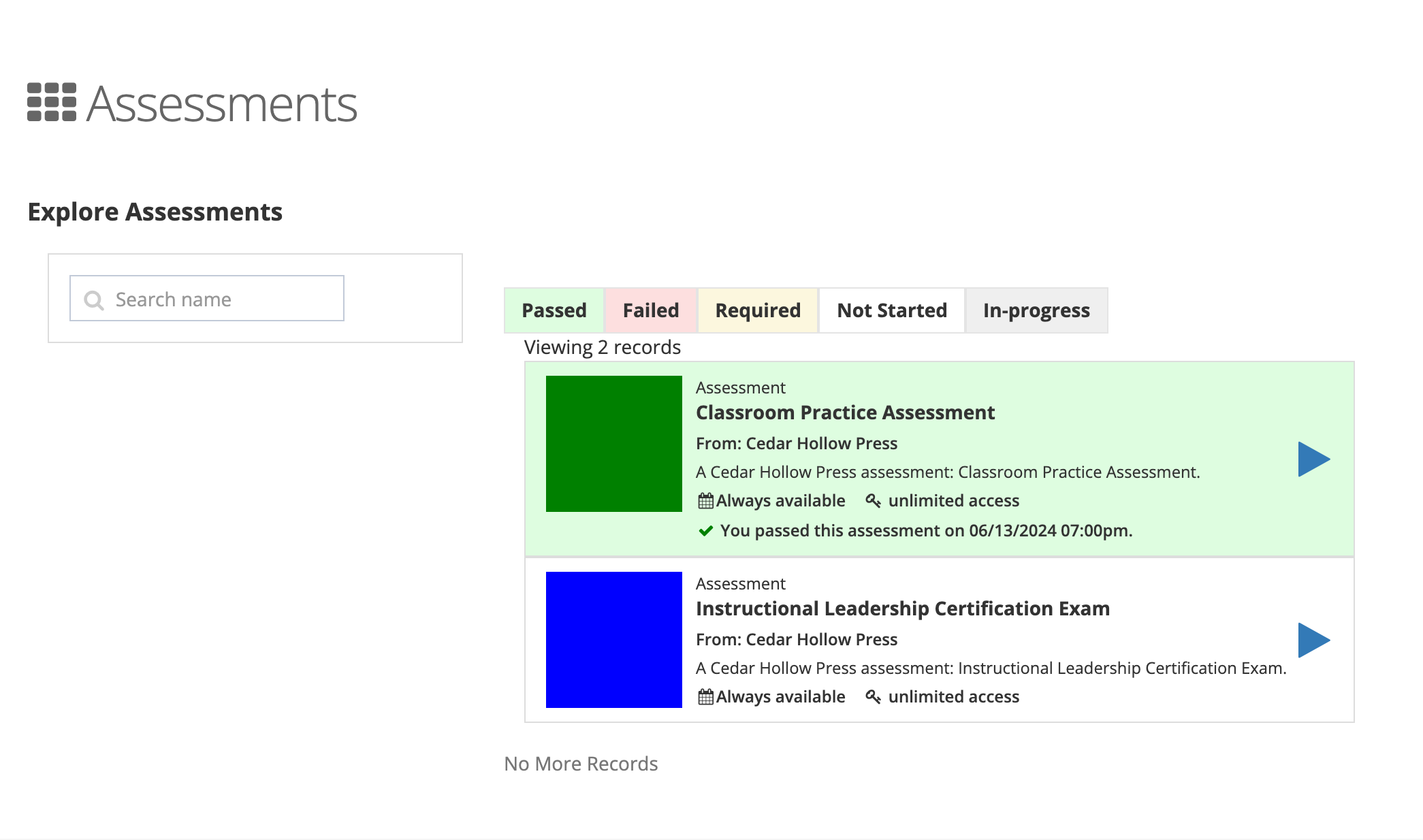
Each card shows the publisher, the availability and license details, and your status, for example “You started this assessment on…” or “You failed this assessment on…”. A card marked Proctored can only be taken in a proctored session. A card marked Required has a due date your school set.
A course can also contain an exam section. Course exams use the same player and scoring; see Course Assessments and Exams.
Passing scores
Section titled “Passing scores”Every assessment has a passing score. Your district can set it on the school’s assignment; if it does not, the score comes from the license or from the publisher’s default. Your final score is the average of the assessment’s required exams. You pass when it reaches the passing score.
Attempts and retakes
Section titled “Attempts and retakes”The publisher decides, per exam, whether you can retake it and how many attempts you get. When attempts are limited, the player shows “This is your 2nd attempt taking this exam.” and “You can retake this exam up to 3 times.”, and marks the last one FINAL ATTEMPT. Taking an exam is covered in Taking Assessments.
Proctored assessments add one rule: after a failed attempt, only the proctor can allow another try, and only while the session is open.
Proctored assessments
Section titled “Proctored assessments”The publisher marks some content as proctored. That setting is not something your district changes. When you open proctored content, Learn checks for a session first and sends you to a lobby until the proctor starts it.
- Test takers: see Proctored Assessments.
- Proctors: see Getting Started as a Proctor and Managing Proctored Sessions.
Who does what
Section titled “Who does what”| Task | Who | Where |
|---|---|---|
| Take an assessment | Any staff member assigned the content | LEARN > Assessments |
| Assign an assessment to schools, set the passing score, due date, and availability | System administrator | System Administration > Products; see Assigning Content to Schools |
| Schedule and run proctored sessions | Proctor (shown as Proctor Administrator when roles are assigned) | Proctoring Dashboard > My Proctored Sessions |
| Review in-progress and failed assessments and certifications | Reporter | Reports > Assessment Reports; see Assessment Reports |