
Skip to content

Assessments

Assessment Reports

View and analyze assessment performance data across users and organizations.

You can view comprehensive assessment performance data to track progress, identify learning gaps, and measure training effectiveness across your organization.

Assessment reports provide detailed analytics on:

  • Individual and group performance
  • Question-level analysis
  • Exam completion rates
  • Progress tracking over time
  • Proctor certification status

Reports help administrators identify trends, measure program effectiveness, and support data-driven training decisions.

Assessment reports are available in several locations:

  1. Navigate to Learn > Guided Content Progress
  2. Select specific content types or organizations
  3. Filter by completion status or date range
  4. Export results to CSV or PDF
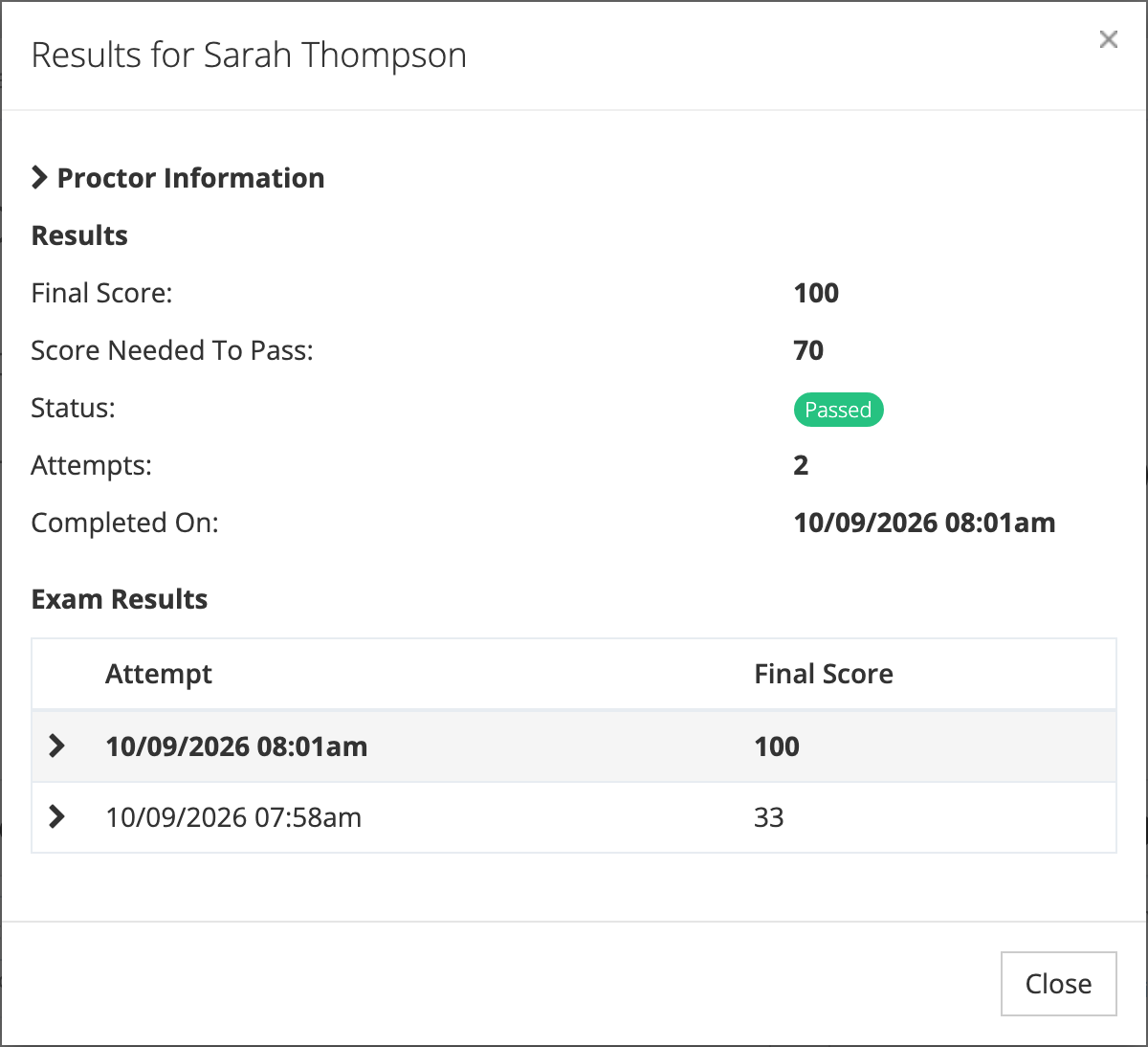
  1. Go to Learn > Assessment Results
  2. View detailed exam performance data
  3. Analyze question-level statistics
  4. Track attempt history per user
  1. Access Learn > Reports > Proctor Certifications
  2. Review certification status by organization
  3. Track certification expiration dates
  4. Export certification records to PDF

Note: Available reports depend on your user role. Reporters can view data for their assigned organizations, while system administrators see all organizational data.

Track learning completion across your organization:

Individual vs Group Performance

  • View progress by person or aggregate by department
  • Filter by required vs optional content
  • See completion percentages and dates
  • Identify users behind schedule

Assessment Progress

  • Shows assessments started, in progress, and failed
  • Tracks users with incomplete attempts
  • Highlights content requiring attention
  • Displays retry patterns

Detailed assessment performance data:

Score Analysis

  • Final scores for each attempt
  • Passing score thresholds
  • Pass/fail status tracking
  • Score trends over time

Attempt History

  • Number of attempts per user
  • Best and most recent scores
  • Date of completion or failure
  • Time spent on assessments

Drill down to individual question performance:

Question Performance

  • Percentage of correct responses
  • Common incorrect answers
  • Average time spent per question
  • Difficulty analysis across users

Content Effectiveness

  • Identify challenging topics
  • Find questions needing revision
  • Track improvement after content updates
  • Compare performance across groups

Narrow your report data using multiple filter options:

  • Select specific schools or departments
  • Include or exclude sub-organizations
  • Compare performance across locations
  • Filter by guided content types (courses, assessments, etc.)
  • Select specific learning paths or libraries
  • Focus on required vs recommended content
  • Filter by job title or role
  • Select individual users or groups
  • Include archived user records
  • Set completion date windows
  • Filter by assignment dates
  • Track progress over specific periods
  • Completed vs in-progress content
  • Passed vs failed assessments
  • Required vs optional assignments

Export report data for further analysis or record-keeping:

  1. Apply desired filters to your report
  2. Click Export > CSV
  3. Receive email notification when ready
  4. Download file with detailed data

CSV exports include all visible columns plus additional metadata for comprehensive analysis.

  1. Filter data as needed
  2. Select Export > PDF
  3. Choose formatting options
  4. Receive formatted report via email

PDF reports provide professionally formatted summaries suitable for presentations or official records.

For organizations using proctored assessments:

  • View current proctor certifications
  • Track certification expiration dates
  • Identify proctors needing recertification
  • Monitor certification compliance
  • See proctor-trainee relationships
  • Track who certified each proctor
  • Verify certification chains
  • Maintain audit trails
  • Review proctored session history
  • Track which proctors administered sessions
  • Monitor session outcomes and results
  • Verify proper proctoring procedures

Identify Learning Gaps

  • Find topics with low success rates
  • Target struggling learners for support
  • Adjust training content based on performance

Track Compliance

  • Monitor required training completion
  • Ensure certification requirements are met
  • Generate compliance reports for stakeholders

Measure Program Effectiveness

  • Compare performance before and after training
  • Analyze score improvements over time
  • Evaluate content quality and relevance

Support Decision Making

  • Use data to justify training investments
  • Identify high-performing content for expansion
  • Make evidence-based curriculum decisions

Tip: Regular review of assessment reports helps maintain training quality and ensures learning objectives are being met across your organization.